Chop A Forest Tool Upgrades: How to Open the Menu, Buy Upgrades, and What They Improve
Press Tab to open the upgrade menu in Chop A Forest, buy any upgrade line with coins, and see what each upgrade improves and what it costs.
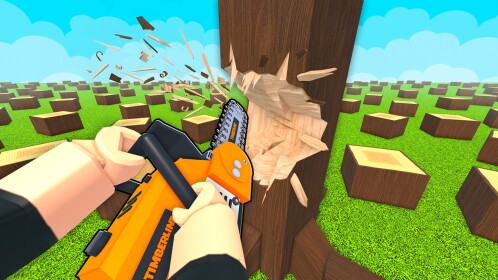
Press Tab while you're playing Chop A Forest and the upgrade menu opens on screen: a scrollable list of upgrade lines you can buy with coins, each entry showing its own coin price. You buy an upgrade straight from that list, and the effect applies to the stat immediately.
How to buy an upgrade
- Earn the coins first. Every upgrade is bought with in-game coins, and you need enough on hand to cover the displayed cost of the line you want. Coins come from the core loop the game itself describes: break trees to collect logs, sell the logs, use the coins to buy tools, then upgrade your tools. If you're short, see how to sell logs or how to get coins.
- Press Tab to open the upgrade list and scroll through it to see the lines available to you.
- Read the entry before you buy. Each stat line targets a single stat and displays the level you've reached on it — one player's speed line sat at level 6 in his menu.
- Buy the entry. The purchase takes effect at once. Repeated damage upgrades made hits on trees deal more damage, and capacity upgrades let the player carry more logs the moment they were bought.
An upgrade walkthrough showing the Tab menu and a first purchase:
What each upgrade improves
Lines seen in the Tab menu include damage (sharpness), walk speed, grasp, bag/backpack capacity and radius. What the observed upgrades changed:
| Upgrade line | Improvement seen in play |
|---|---|
| Damage (sharpness) | Hits on trees deal more damage |
| Walk speed | Faster movement on foot |
| Grasp | More logs carried per grab — seen rising through 3, 4 and 5 |
| Bag / backpack capacity | More logs held per trip — a bag held 10 items after an upgrade |
| Radius | A further purchasable line |
Buying new tools and upgrading them are separate steps in the game's progression. The wider tool path is covered in how to get tools and the tool progression guide.
What upgrades cost
Each entry shows its own coin cost, and prices differ per line and rise between levels — the number you see is for the next level of that specific line, not a game-wide fee.
For scale, play sessions have shown a first upgrade bought for about 60 coins, a backpack upgrade priced at 175 with the next backpack level at 750, a radius upgrade bought at 1,000, and a later bag line listed at 15,000. Treat those as a sense of scale rather than a price list — what you'll pay depends on your line, its level and how far you've progressed.
Check the line name before you buy
Because every entry is a separate purchase, misclicks cost real coins: one player meant to upgrade speed, accidentally bought a different stat, and the coins were spent either way. Glance at the highlighted line's name before you buy.
From there, upgrading is a loop you repeat: sell another load of logs, come back to the Tab menu, and buy the next level of any line as long as you can cover its displayed cost.
Related Guides
Tool Progression: What to Buy First
Follow the full tool order: first axe, Tab stat upgrades, then save for the car, radius, dynamite and 15K bag.
Tools List: Every Cutting Tool
Compare every cutting tool from fists to vacuum, with prices, Robux options and what each one actually does.
How to Get Coins and Earn More
Turn chopping into steady income: sell logs, then reinvest in capacity, speed and rarer wood so runs pay more.